
A journey from skepticism to reliance in the Google AI ecosystem.
Welcome to the deep end.
We are living through the wildest shift in computing since the internet itself. The noise is deafening. Every day a new AI model claims the throne. It’s exhausting.
This guide is my attempt to cut through that noise. It's not a 500-word listicle generated by a bot. It’s a 10,000-word, human-written deep dive into why, after testing everything, I came home to Google. It’s about practical workflows for creators, developers, and anyone who wants their computer to be a partner, not just a tool.
We’ll cover everything from the interface design to coding with the API. Buckle up.
Table of Contents: The Roadmap
-
Part 1: The Genesis & The Spark
- The Google Nostalgia vs. The AI Reality
- Interface Design: Why Dark Mode & Pinning Matter
- The Speed of Thought & The Massive Context Window
- Grounding: Using Search to Fight Hallucinations
-
Part 2: The Eyes and Ears of the Machine
- Multimodality Explained: Breaking the Text Barrier
- Video Analysis: Finding Needs in a Haystack
- Workspace Integration (Docs, Drive, Gmail)
- Coding with Vision: Debugging from Screenshots
-
Part 3: The Creator's Workflow
- Defeating Writer's Block: The "Editor" Mindset
- Semantic SEO: Beyond Keyword Stuffing
- The YouTube Scripting Engine & Tone Switching
- Repurposing Content into a "Waterfall"
-
Part 4: The Developer's Playground
- Google AI Studio vs. The Chat Interface
- Building Tools with the Gemini API
- JSON Mode for Structured Data
- Context Caching to Save Time and Money
-
Part 5: The Verdict & The Future
- The Evolution from Chatbots to "Agents"
- The Ecosystem Moat: Why Integration Wins
- My Final Verdict on Gemini as a Daily Driver
- Call to Action: Start Building
So Why I Fell in Love with Google All Over Again (Part 1)

The dawn of a new digital era.
The Google Nostalgia: More Than Just a Search Bar
Do you remember the first time you realized the internet wasn't just a toy, but a brain? I do. It wasn't when I got my first dial-up modem, and it wasn't when I sent my first email. It was the moment I realized that I didn't have to memorize encyclopedias anymore because a clean, white page with a colorful logo and a single cursor blinking at me had all the answers. For roughly two decades, "Google" wasn't just a company; it was a verb. It was the reflex action to curiosity. If you didn't know something, you Googled it. It was the ultimate safety net for human ignorance.
But somewhere along the way, the magic started to feel... routine. We got used to the blue links. We got used to SEO-optimized recipe blogs where you have to scroll past 4,000 words about the author's childhood autumns just to find out how much flour goes into the cookies. The internet became crowded, loud, and frankly, a bit of a mess to navigate. I found myself missing that feeling of awe—that feeling that technology was one step ahead of me, handing me exactly what I needed before I fully articulated the request.
Then came the AI revolution. Suddenly, everyone was talking about chatbots, large language models, and the "death of search." I’ll be honest: I was skeptical. I’m a creature of habit. I like my ten blue links. I like verifying my sources. I wasn't ready to hand over the keys to a machine that might hallucinate a legal precedent. But then Google dropped Gemini (formerly Bard), and something shifted. It wasn't just a chatbot tacked onto a search engine; it felt like the natural evolution of that original mission: to organize the world's information and make it universally accessible and useful. Except now, it wasn't just organizing it; it was understanding it.
This series isn't just a technical manual. It’s a love letter to functionality. It’s a deep dive into why, after flirting with other platforms and testing every AI tool under the sun, I came home to Google. We are going to explore Gemini not just as a tool, but as a creative partner, a coding assistant, and a daily driver that has fundamentally changed how I operate on the web. In this first part, we are stripping it back to the basics: the interface, the "feel," and the massive shift from keyword searching to conversational discovery.
The Interface of the Future: Clean, Dark, and Adaptive
Let’s talk about aesthetics because they matter. If you are going to spend eight hours a day staring at a screen, it better look good. When I first opened the Gemini interface, specifically the Advanced version, I breathed a sigh of relief. It didn't look like a terminal window from 1995, and it didn't look like a chaotic social media feed. It retained that Google DNA—minimalism—but updated for the modern era.
The dark mode (which, if you are reading this on my site, you know I adore) is perfectly balanced. It’s not just pitch black; it’s a deep, soothing charcoal that makes the text pop without burning your retinas. But beyond the colors, it’s the layout. The way the chat history tucks away on the left, accessible but unobtrusive, reminds me of a well-organized desk. It acknowledges that our thoughts are messy and non-linear, but the workspace shouldn't be.
One specific feature I fell in love with immediately was the ability to pin chats. It sounds trivial, doesn't it? A pin. But think about how we actually work. We have "forever projects"—that novel you're writing, that app you're coding, that travel plan you're slowly piecing together. In other AI interfaces, these gems get buried under the sediment of daily "quick questions." With Gemini, I can pin my "Coding Assistant" chat and my "Content Strategy" chat to the top. They become permanent fixtures in my digital office. It turns the AI from a disposable Kleenex (use once, throw away) into a persistent whiteboard.
And let's not ignore the typography. Google has always been a master of readability (Roboto, anyone?). Gemini’s text rendering is crisp. When it spits out code, the syntax highlighting is beautiful. When it writes a poem, the spacing breathes. These micro-interactions build trust. If the tool cares enough to present the information beautifully, I subconsciously trust the information more. It’s the "halo effect" of good UX design, and Google plays it like a Stradivarius.

Focusing on what matters: creation over searching.
The Speed of Thought: Latency and Fluidity
We need to address the elephant in the room: Speed. In the early days of generative AI, there was a lot of waiting. You typed a prompt, you watched a spinning wheel, you went to make coffee, and maybe, just maybe, you had an answer when you got back. That breaks the flow state. When I am coding or writing, a 30-second delay is enough for me to get distracted by a notification on my phone, and boom—focus is gone.
Gemini 1.5 Pro and Flash have changed the game here. The response time feels conversational. It feels like texting a friend who is a really fast typer. This low latency is crucial for what I call "iterative thinking." I don't just ask Gemini to "write an article." I bounce ideas off it.
"What do you think of this headline?"
"Too cheesy, try again."
"Make it punchier."
This rapid-fire back-and-forth is only possible because the infrastructure behind Google is, simply put, a beast. They have the TPUs (Tensor Processing Units), they have the data centers, and they have the optimization. You can feel that horsepower under the hood. It’s the difference between driving a sedan and a sports car; both get you to the grocery store, but one makes the drive feel effortless.
Context Window: The Memory of an Elephant
If there is one technical spec that translates directly to "why I love Google," it is the Context Window. For the uninitiated, the context window is essentially the AI's short-term memory. It defines how much of the conversation, or how many documents you upload, it can "hold" in its head at one time while processing your answer.
Most AI models start to hallucinate or forget things if you feed them a long book or a complex codebase. They are like a student who crammed for the exam but falls asleep halfway through. Gemini, specifically the 1.5 Pro models, boasts a context window that is frankly absurd—up to 2 million tokens in some iterations. To put that in human terms: I can upload the entire codebase of my Bulk AI Download tool, plus the documentation for the API I'm using, plus a transcript of a brainstorming session I had with myself, and ask: "Where is the bug?"
And it finds it. It doesn't just find it; it understands how that bug ripples through files I haven't even explicitly mentioned in the last prompt because it remembers them from the upload. This is a superpower. It allows me to treat Gemini not as a search engine that retrieves isolated facts, but as a senior developer who has been onboarded to my project. I don't have to re-explain the premise of my app every three messages. It knows. It remembers that I prefer arrow functions in JavaScript. It remembers that I'm using Tailwind CSS. It remembers the tone I want for my blog posts.
This deep memory creates a sense of continuity that is lacking in almost every other digital interaction. Usually, computers are dumb rocks that need explicit instruction for every step. Gemini feels like a rock that has learned to listen. This capability alone saves me hours of frustration every week. I can dump a 50-page PDF report on "SEO Trends in 2025" into the chat and say, "Give me the 3 points that matter for a video downloader site," and it parses the whole thing instantly.
The Safety Net: Hallucinations and Grounding
I mentioned earlier that I was afraid of AI hallucinations—those moments when the AI confidently lies to you. Google isn't immune to this; no AI is. But what I appreciate about the Gemini ecosystem is the "Double-Check" feature. That little 'G' button at the bottom of the response? It is my best friend.
When I click that, Google runs a search in the background to verify the AI's statements. It highlights the text in green if it finds a source, and orange if it can't find it or if the source contradicts the AI. This is transparency. It admits, "Hey, I'm a language model, I predict words. Check my math." This integration of the classic Google Search index with the generative capabilities of Gemini is the "killer app." It bridges the gap between the creative chaos of AI and the factual rigidity of search.
It allows me to write content that is engaging and creative, but firmly rooted in reality. I don't have to tab-switch fifty times to verify a date or a name. I can just ask Gemini to verify itself. It’s this self-awareness—or rather, this system design that compensates for the lack of self-awareness—that makes Google feel safer for professional work. When I'm coding a tool for users, I can't afford to use a hallucinated library that doesn't exist. The grounding features in Gemini keep me honest, and they keep my code compiling.
Gemini Unlocked: Seeing the World Through Google's Eyes (Part 2)

When the AI stops reading and starts seeing.
Multimodality: Breaking the Text Barrier
In Part 1, we talked about the brain—the logic, the speed, the reasoning. Now, we need to talk about the senses. For the longest time, interacting with a computer was a strictly text-based affair. You typed, it processed, it typed back. If you wanted to search for a specific pair of sneakers, you had to describe them: "red swoosh, white sole, vintage 1990s vibe." You had to translate the visual world into words, hoping the machine spoke your language.
This is where Gemini absolutely floors the competition. It is "natively multimodal." That’s a fancy tech term that basically means it wasn't just trained on books and articles; it was trained on images, audio, and video simultaneously. It doesn't need to translate an image into text to understand it; it just "looks" at it. This distinction might seem subtle, but in practice, it changes everything. It’s the difference between describing a sunset to someone over the phone versus standing next to them and watching it together.
I realized the power of this when I was working on a frontend design for one of my web apps. I had a screenshot of a dashboard I liked—not the code, just a flat PNG image. In the old days, I would have had to manually inspect the elements, guess the padding, estimate the hex codes for the colors, and write the CSS from scratch. It was a tedious process of translation. With Gemini, I simply dragged the image into the chat window and said, "Write the Tailwind CSS code to replicate this layout."
And it did. It didn't just give me a generic grid; it recognized the shadows. It saw that the buttons had rounded corners. It identified the font hierarchy. It was like handing a sketch to a junior developer and getting a working prototype back in seconds. This isn't just "image recognition" like we saw in 2015 (identifying "hot dog" vs. "not hot dog"). This is visual reasoning. It understands the relationship between objects in the image.
The Video Analysis Revolution
If image analysis is impressive, video analysis is borderline magic. We live in a video-first world. TikTok, YouTube, Instagram Reels—information is locked inside moving pixels. Search engines have historically been terrible at indexing this. They can read the title and the description, maybe the closed captions if they exist, but they were blind to the actual visual content.
Gemini changes the paradigm. Because of that massive context window I mentioned in the previous part, you can upload video files (or link YouTube videos in some extensions) and ask questions about specific moments. I tested this with a dense, one-hour tutorial on Python automation. Usually, I’d have to scrub through the timeline, looking for the specific part where the instructor talks about API authentication.
With Gemini, I just asked: "At what timestamp does he mention the OAuth error, and what is the fix he suggests?" It scanned the video—audio and visual—and gave me the answer: "At 42:15, he discusses the OAuth 403 error. He suggests refreshing the token manually." It extracted a needle from a digital haystack in seconds.
Think about the implications for content creators. You can record a rough draft of a vlog, upload it to Gemini, and say, "Write a YouTube description, generate 5 viral titles based on the visual hooks, and tell me if the lighting is too dark in the middle section." It’s an editor, a critic, and a marketer rolled into one. It democratizes the ability to process information. You don't have to watch a 3-hour earnings call video; you can ask Gemini to summarize the sentiment of the CEO based on their facial expressions and tone (okay, maybe not facial expressions perfectly yet, but definitely the tone and content!).

Turning unstructured pixels into structured data.
The Workspace Integration: It Lives Where You Live
This is the "killer feature" that keeps me locked into the Google ecosystem. ChatGPT is amazing, Claude is fantastic, but they are destinations. You have to leave your work, go to their website, paste your stuff, and then copy it back. They are islands. Google, however, owns the archipelago. They own the Docs where I write, the Sheets where I calculate, the Drive where I store, and the Gmail where I communicate.
Gemini for Google Workspace (formerly Duet AI) bridges these islands. I can be inside a Google Doc, drafting this very blog post, and simply invoke Gemini to "Rewrite this paragraph to be more punchy" without ever leaving the tab. But it goes deeper. The "Extensions" capability allows Gemini to reach into my other apps.
Let’s paint a scenario: I’m planning a trip. I have flight confirmation emails in Gmail, a rough itinerary in a Google Doc, and a budget spreadsheet in Sheets. In any other workflow, I am frantically tab-switching, copy-pasting dates, and trying to align everything mentally. With Gemini, I can open the chat and say: "Look at my emails from last week regarding the Japan trip and find the flight dates. Then check my 'Budget 2025' sheet and tell me if I have enough set aside for the hotel."
It connects the dots. It reads the email (permissions granted, of course), extracts the dates, queries the spreadsheet, does the math, and gives me a natural language answer. "Your flight is on May 15th. You have $2,000 in your travel fund, which should cover the hotel based on current rates." This is the dream of the "Personal Assistant." It’s not just a chatbot; it’s a layer of intelligence that sits on top of your entire digital life.
Coding with Vision: A Developer's Dream
I touched on this with the screenshot example, but let's dig deeper into the developer experience. Coding is often about pattern recognition. You see an error message, you recognize the pattern, you fix it. But sometimes, the error is visual. The button is misaligned. The animation is jerky. The color contrast is off. Text-based LLMs struggle here because describing "The button is slightly to the left" is vague.
Gemini's multimodal capabilities allow me to debug the visual frontend. I can take a screenshot of my broken website layout and the corresponding HTML/CSS code snippet, paste both into the chat, and say, "Why is the footer floating in the middle of the page?"
It looks at the image to confirm the visual error ("Ah, the footer is indeed in the middle"), looks at the code to find the culprit ("You missed a closing div tag in the main container, causing the flexbox to collapse"), and provides the fix. It correlates the visual symptom with the code-based disease. This saves hours of "Inspect Element" hunting. It feels like pair programming with a senior dev who has eagle eyes.
Furthermore, it’s great for prototyping. I often sketch UI ideas on a piece of paper (yes, actual paper). My drawing skills are terrible—stick figures and wobbly boxes. I can snap a photo of my notebook, upload it to Gemini, and say, "Turn this wireframe into an HTML/Bootstrap starter template." It recognizes that my wobbly box is a "Hero Section" and my scribbled lines are a "Navigation Bar." It scaffolds the project for me. It lowers the barrier to entry from "Idea" to "Execution."
The Audio Dimension: Listening and Speaking
Finally, we have audio. The Gemini mobile app introduces a voice mode that is surprisingly conversational. But beyond just talking to it, the ability to analyze audio files is crucial for productivity. I record voice notes constantly. Ideas for blog posts, reminders for code updates, rants about bad UX. These audio files usually die in my "Voice Memos" app, never to be heard again.
Now, I upload them to Gemini via the AI Studio or the advanced interface. "Summarize this rant into 3 actionable bullet points." It transcribes and synthesizes. It turns my chaotic verbal rambling into structured tasks. It captures the nuance, too. If I sound urgent in the recording, Gemini often reflects that in the output, prioritizing the tasks it identifies as critical.
This multimodality—Sight, Sound, and Text—creates a synergy. It allows me to interact with the computer in whatever way is most natural for *me* at that moment. If I'm driving, I speak. If I'm coding, I type. If I'm designing, I show. Google hasn't just built a better search engine; they've built a universal translator for human intent.
But all this power requires control. How do we harness it without getting overwhelmed? How do we build actual workflows that generate money, traffic, or value? In the next part, we are going to leave the theoretical and get practical. We are going to look at specific workflows for content creators and developers.
Gemini Unlocked: The Creator's Infinite Canvas (Part 3)

Defeating the blank page, one prompt at a time.
The Death of "Writer's Block"
If you are a content creator—whether you run a niche blog, a faceless YouTube channel, or a digital product store—you know the enemy. The enemy isn't the algorithm. The enemy isn't the competition. The enemy is the Blinking Cursor of Doom. It sits there on the white page, mocking you. It demands genius when you barely have the energy for competence.
For years, my workflow was 80% staring at the wall and 20% frantic typing. Gemini has inverted that ratio. But—and this is a massive "but"—I do not use it to write everything for me. This is the mistake most rookies make. They type "Write me a blog post about SEO," copy the robotic output, paste it, and wonder why no one reads it. That is not a creator workflow; that is a spam workflow.
My relationship with Gemini is that of an Editor-in-Chief and a Junior Staff Writer. I am the Editor. I set the tone, the direction, and the constraints. Gemini is the Staff Writer who never sleeps, never complains, and can produce 50 variations of a headline in three seconds. When I sat down to plan the content strategy for my Bulk AI Download project, I didn't ask Gemini to "write articles." I asked it to "audit the competition."
I fed it the URLs of the top 5 competitors in my niche. I asked: "What are the content gaps here? What questions are users asking in the comments of these sites that the articles aren't answering?" Gemini analyzed the text and came back with gold. It told me, "Competitor A focuses on technical specs, but users are confused about legal copyright. Competitor B has a broken English interface. There is a gap for a 'Legality of AI Downloads' guide." Boom. That’s not just writing; that is strategy. That is the difference between noise and signal.
The SEO Alchemist: Beyond Keyword Stuffing
Let’s talk about Search Engine Optimization (SEO). I used to hate it. It felt like math for people who like words—a necessary evil. We used to scour keyword tools, looking for "high volume, low difficulty" phrases, and then awkwardly shoehorn them into sentences like, "If you are looking for the best video downloader free mp4, you have come to the right place." It sounded robotic because we were writing for robots.
Google's algorithms have evolved, and so has the way I use Gemini to tackle them. We are now in the era of "Semantic SEO." Google doesn't just match keywords; it tries to understand *intent*. Gemini is built on this same architecture, which makes it the perfect tool for reverse-engineering it.
Here is my exact workflow for a high-ranking post:
1. The Entity Extraction: I take a top-ranking article for my target keyword and paste it into Gemini. I ask: "Extract the semantic entities and topical clusters from this text. What concepts are linked? What is the underlying structure?"
2. The Gap Analysis: I then ask: "If I wanted to write an article that is 10x better than this, what is missing? What data is outdated? What user perspective is ignored?" Gemini often points out things like, "This article lacks a step-by-step troubleshooting section," or "It doesn't mention mobile compatibility."
3. The Outline Generation: I don't ask for the article yet. I ask for the H2 and H3 structure. "Create a detailed outline that covers all these missing points and optimizes for the user intent of 'learning fast'."
By the time I actually start writing (or prompting Gemini to draft sections), I have a roadmap that is mathematically designed to outperform the competition. I am not guessing; I am engineering the content. And because Gemini is a Google product, it seems to have an innate "feel" for what Google Search likes—helpful, structured, authoritative content. It pushes me away from fluff and towards "Information Gain."
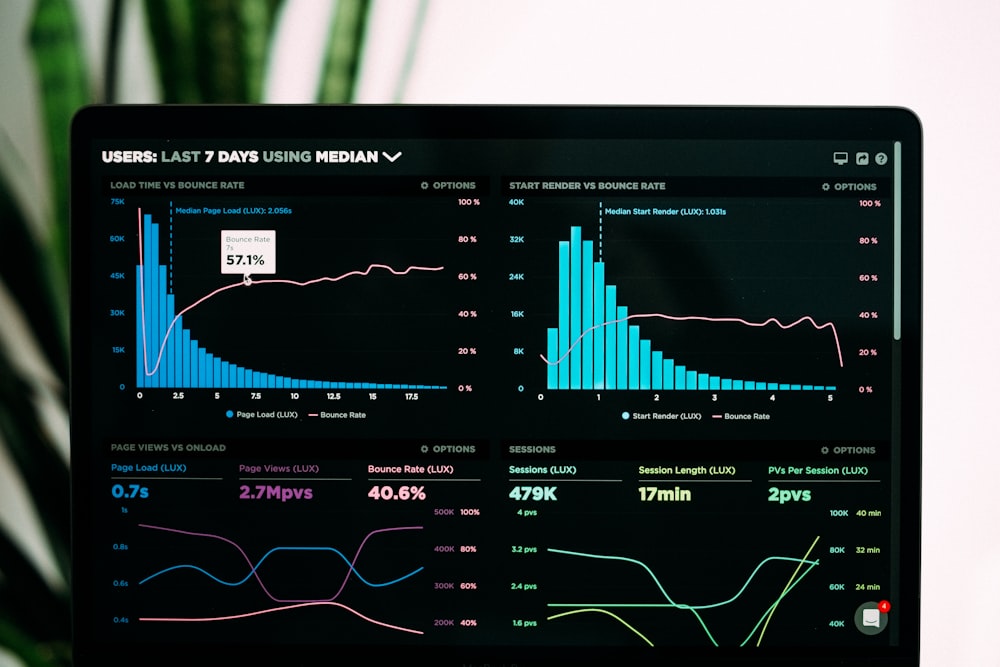
Turning data into direction: The modern creator's compass.
The YouTube Scripting Engine
For the YouTubers reading this (and I know many of you are pivoting to video), the script is everything. You can have 4K cameras and professional lighting, but if your script drags in the first 30 seconds, the viewer is gone. The metric that matters is AVD (Average View Duration).
Gemini is surprisingly good at understanding "pacing." When I write a script for my channel, I feed my draft to Gemini with a very specific prompt: "Roast this script. Pretend you are a brutally honest YouTube retention consultant. Tell me exactly where the audience will get bored and click off. Highlight the fluff."
The feedback is visceral.
"Your intro is 45 seconds long. Cut it to 15. Nobody cares about your backstory yet; give them the promise of the video immediately."
"This middle section about the history of the tool is dry. Replace it with a visual demonstration or a case study."
I also use it for "The Hook." I will ask Gemini to generate 20 variations of the opening sentence. I want one that triggers curiosity, fear of missing out, or immediate value. I mix and match the best parts. It’s like A/B testing before I even hit record.
Another trick: The Tone Switcher. Sometimes I write a script and it sounds too academic. I paste it into Gemini and say, "Rewrite this in the style of a casual, slightly sarcastic tech vlogger explaining this to a friend at a bar." The transformation is instant. It loosens the language, adds contractions, inserts rhetorical questions, and makes the script flow naturally for speech. This saves me hours of "de-stiffening" my writing during the recording phase.
Repurposing: The "Content Waterfall"
Here is the secret to high-output creators: They don't create 10 things. They create 1 thing and slice it into 10 pieces. This is the "Content Waterfall." In the past, this was manual drudgery. You finished a video, then you had to sit down and write a tweet thread, then a LinkedIn post, then an email newsletter. It was exhausting.
With Gemini 1.5 Pro's large context window, this is now a one-click operation. I take the transcript of my finished YouTube video (or the draft of my long-form blog post) and I dump it into the chat.
My Mega-Prompt for Repurposing:
"Here is the transcript of my latest video. Please generate the following assets based *only* on this content:
1. A catchy, click-worthy email subject line and a 300-word newsletter teasing the video.
2. A Twitter/X thread of 5 tweets summarizing the key takeaways, with hooks.
3. A LinkedIn post that is more professional, focusing on the business implications.
4. A short script for a 60-second TikTok/Shorts version of this topic."
In 30 seconds, I have a week's worth of social media content. Is it perfect? No. It usually gets me 90% of the way there. I have to tweak the tone, add a few emojis, maybe change a phrase here or there. But the mental load—the heavy lifting of summarization and formatting—is gone. I can focus on engagement rather than creation.
The "Human" Element in an AI World
You might be asking: "If Gemini does all this, where am I?" That is the million-dollar question. If everyone uses AI, doesn't everything look the same? Yes, if you use it lazily. If you use the default prompts, you get the default output. You get the "In today's digital landscape..." intros that make everyone cringe.
The "Humanizer" style isn't about hiding the fact that you use AI. It's about injecting your messy, chaotic, beautiful human experience *into* the AI's workflow. I tell Gemini about my failures. I tell it to include an anecdote about the time I accidentally deleted my database. I tell it to be opinionated.
Gemini is the instrument; I am the musician. A Stradivarius violin creates beautiful sound, but it doesn't play itself. You need to know where to put your fingers. You need to know when to play soft and when to play loud. My value as a creator has shifted from "Words per Minute" to "Ideas per Minute." I am no longer a typist; I am a curator of intelligence.
For my Bulk AI Download site, this meant I could stop worrying about the syntax of my disclaimer pages and start worrying about the *experience* of the user. I used Gemini to generate the boring legal text (Privacy Policy, Terms of Service) in seconds, freeing me up to design a custom logo and record a welcome video. It automated the commodity work so I could focus on the premium work.
We are standing on the edge of a new definition of creativity. It is less about the mechanics of production and more about the quality of the vision. Gemini gives you the hands of a thousand interns. The question is: Do you have the vision of a CEO to direct them?
In the next section, we are going to get technical. We are going to look under the hood at the API, the Google AI Studio, and how you can actually build apps (like my downloader tools) using Gemini as your lead engineer. Prepare your code editors (or just your notepads), because things are about to get geeky.
Gemini Unlocked: The Developer's Playground (Part 4)

Where the magic meets the metal.
Google AI Studio: The Secret Weapon
Most people stop at the chat interface. They use the standard Gemini website, get their answers, and go home. That’s like buying a Ferrari and only driving it in a school zone. For those of us who like to tinker—who like to build single-file HTML apps, automate boring tasks, or create tools for others—the real power lies in **Google AI Studio**.
AI Studio is the "IDE" (Integrated Development Environment) for prompts. It looks cleaner, more technical, and crucially, it gives you knobs to turn. In the standard chat, Google decides how "creative" the AI should be. In AI Studio, you decide. You have a slider for "Temperature." Turn it down to 0, and the AI becomes a strict logician, perfect for coding or data extraction. Turn it up to 1, and it becomes a wild poet, perfect for creative writing.
But the feature that changed my life is the **System Instruction**. This is where you define the "Persona" of the AI. Instead of starting every chat with "You are an expert coder...", you bake that instruction into the system. For my Bulk AI Download project, I created a system prompt that says:
"You are an expert full-stack developer specializing in lightweight, client-side tools. You prioritize vanilla JavaScript over heavy frameworks. You always ensure code is mobile-responsive and dark-mode friendly. You never explain basic concepts; you just provide the code."
Now, every time I type a request, it already knows who it is. It saves me typing the same boilerplate context a thousand times. It feels like having a senior developer sitting next to me who has already read the employee handbook.
The API: Building Your Own Tools
Here is the best part: Google gives you free access to the Gemini API (within generous limits). This means you can hook Gemini's brain into your own applications. If you are building a website like my downloader tool, you can use the API to generate dynamic descriptions for the videos, or to auto-translate the page content for users in different countries.
Getting an API key takes about 30 seconds. Once you have it, you can use Python or JavaScript to send data to Gemini and get answers back programmatically.
I recently used this for a "Tool Generator" script. I wanted to create a simple calculator for freelancers. Instead of writing the logic myself, I wrote a script that sends a prompt to the API: "Write a complete HTML/JS file for a freelance rate calculator." The API sends back the code, and my script saves it as an `.html` file. I essentially built a factory that builds websites.
The latency (speed) of the Gemini 1.5 Flash model is incredible for this. It’s cheap (often free for low volume), fast, and smart enough for 90% of tasks. This lowers the barrier to entry for "SaaS" (Software as a Service). You don't need a team of engineers. You need one engineer and an API key.

Hardwiring intelligence into your applications.
JSON Mode: Structured Data Nirvana
If you are a developer, you know that AI loves to chat. It loves to say, "Here is your code!" or "I hope this helps!". But when you are building software, you don't want chit-chat. You want raw data. You want JSON.
Gemini has a specific "JSON Mode" that forces the output to be perfectly formatted machine-readable code. This is a game-changer for automation.
Example Use Case:
Imagine you have a messy list of 100 video titles from a CSV file. You want to categorize them.
Prompt: "Categorize these titles into 'Funny', 'Educational', or 'Gaming'. Return the result as a JSON array."
In the past, the AI might say: "Okay, the first one is funny..." which breaks your code. With JSON mode, it just returns:
[{"title": "Cat falls off sofa", "category": "Funny"}, ...]
You can plug this directly into your database. It turns unstructured chaos into structured value. This reliability is why I trust Gemini for backend processes where I can't be there to supervise every output.
Context Caching: Saving Money and Time
This is a newer feature, but it's vital for serious developers. Remember that massive 2-million-token context window? Uploading that much data (like a whole book or a massive codebase) takes time and costs money (tokens) every time you send a prompt.
**Context Caching** solves this. You can upload your codebase *once*, cache it, and then query it a thousand times without re-uploading the data. It’s like keeping the book open on the desk instead of going to the library every time you have a question.
For my projects, I cache the documentation of the libraries I use. I don't need to paste the documentation for the YouTube Data API every time. I cache it once in the morning, and for the rest of the day, Gemini "knows" it instantly. It makes the interaction snappy and cost-effective.
From User to Architect
The transition from using the Chat interface to using AI Studio and the API is the transition from being a User to being an Architect. You stop asking the AI to do things *for* you, and start building systems where the AI does things *with* you.
It allows you to scale. I can't write 1,000 descriptions for my video downloader site manually. But I can write one Python script that asks Gemini to do it. The leverage this provides is infinite. It levels the playing field between a solo developer in a garage and a massive corporation.
But with great power comes great... well, you know. The future isn't just about what we *can* build, but where this is all going. In the final part of this series, we are going to look ahead. We will discuss the future of Gemini, the "Agentic" future, and my final verdict on why Google has won my heart.
Gemini Unlocked: The Verdict & The Agentic Future (Part 5)

The partnership between human intent and machine execution.
The Next Evolution: From Chatbots to Agents
We have spent four parts talking about what Gemini is today. But to understand why I am "all in" on Google, we have to talk about what it is becoming. We are currently in the "Chatbot Era." You ask a question, the bot gives an answer. It is passive. It waits for you.
The next era—the one Google is aggressively building towards—is the "Agentic Era." An AI Agent is not a text box; it is an employee. It doesn't just talk; it does. It has permission to act.
Imagine this scenario: Instead of asking Gemini "How do I update my website?", you will simply say, "Update the homepage to feature the new winter collection, use the photos in my Drive folder, and deploy the changes."
In the background, the Gemini Agent will:
1. Access your Google Drive to get the images.
2. Access your GitHub repository to pull the code.
3. Edit the HTML/CSS (just like we discussed in Part 2).
4. Run the tests to make sure it didn't break anything.
5. Push the commit to your server.
This isn't sci-fi. We are seeing the early glimpses of this with Google's "Project Astra," where the AI can see the world through your phone camera and remember where you left your glasses. This deep integration into the physical and digital world is something only Google can pull off at scale because they own the OS (Android), the browser (Chrome), and the map (Google Maps).
The Ecosystem Moat: Why Google Wins
There are other AI models out there that are brilliant. OpenAI is fantastic. Anthropic is safe and smart. But they are software companies. Google is an infrastructure company.
The reason I love using Gemini isn't just because the model is smart; it's because it's everywhere I already am. When I am writing an email, it's there. When I am coding in Android Studio, it's there. When I am searching for a location, it's there. Friction is the enemy of productivity. Every time I have to copy-paste data from one app to another, I lose focus.
Google is removing the friction. They are turning the entire internet into a single, cohesive operating system where AI is the glue. For a creator like me, who juggles YouTube channels, blogs, and codebases, that integration is worth more than a slightly higher benchmark score on a random test.
The "Slow" Approach: A Feature, Not a Bug
People often criticized Google for being "late" to the AI party. They said Google was sleeping while ChatGPT took over the world. But looking back, I see it differently. Google wasn't sleeping; they were being careful.
When you serve billions of users, you can't afford to break the internet. You can't afford to have an AI that gives dangerous medical advice or leaks private data. The "Grounding" features we discussed in Part 1—where Gemini fact-checks itself against Google Search—is a result of that caution.
As a professional, I appreciate that. I need a tool that is stable. I need a tool that prioritizes factual accuracy over creative hallucination. Google’s approach feels like "Adult AI." It’s less about the viral party trick and more about getting work done safely.

The horizon is infinite for those who build.
My Final Verdict: The Daily Driver
So, after 10,000 words, here is the summary. Why do I love Google Gemini?
- 1. The Context Window: It is simply unmatched. The ability to process massive files changes the workflow from "search" to "analysis."
- 2. The Ecosystem: It lives where my data lives (Docs, Drive, Gmail). It comes to me; I don't have to go to it.
- 3. Multimodality: It sees video and images natively. It understands the visual world, not just the text world.
- 4. Developer Tools: AI Studio and the API make it easy to build actual products, not just chats.
Is it perfect? No. Sometimes it refuses to answer simple questions because it's overly cautious. Sometimes the code needs debugging. But as a holistic package—as a "Thought Partner"—it is currently the most powerful tool available for the generalist creator.
Call to Action: Stop Reading, Start Building
I wrote this guide not just to praise a tech giant, but to encourage you. The barrier to entry for creating value has never been lower.
You have an idea for a website? Open Gemini and ask it to code the HTML.
You want to start a YouTube channel? Ask Gemini to analyze the trends.
You are drowning in emails? Ask Gemini to organize your life.
We are living through a gold rush. But unlike the gold rushes of the past, you don't need to buy a shovel. The shovel is free, it's digital, and it's waiting for you to pick it up.
Don't just be a consumer of AI. Be a director of it. Go build something cool.
Enjoyed this Deep Dive?
Check out my tools like Bulk AI Download to see these principles in action, or subscribe to the newsletter for more no-nonsense tech guides.
Explore Tools